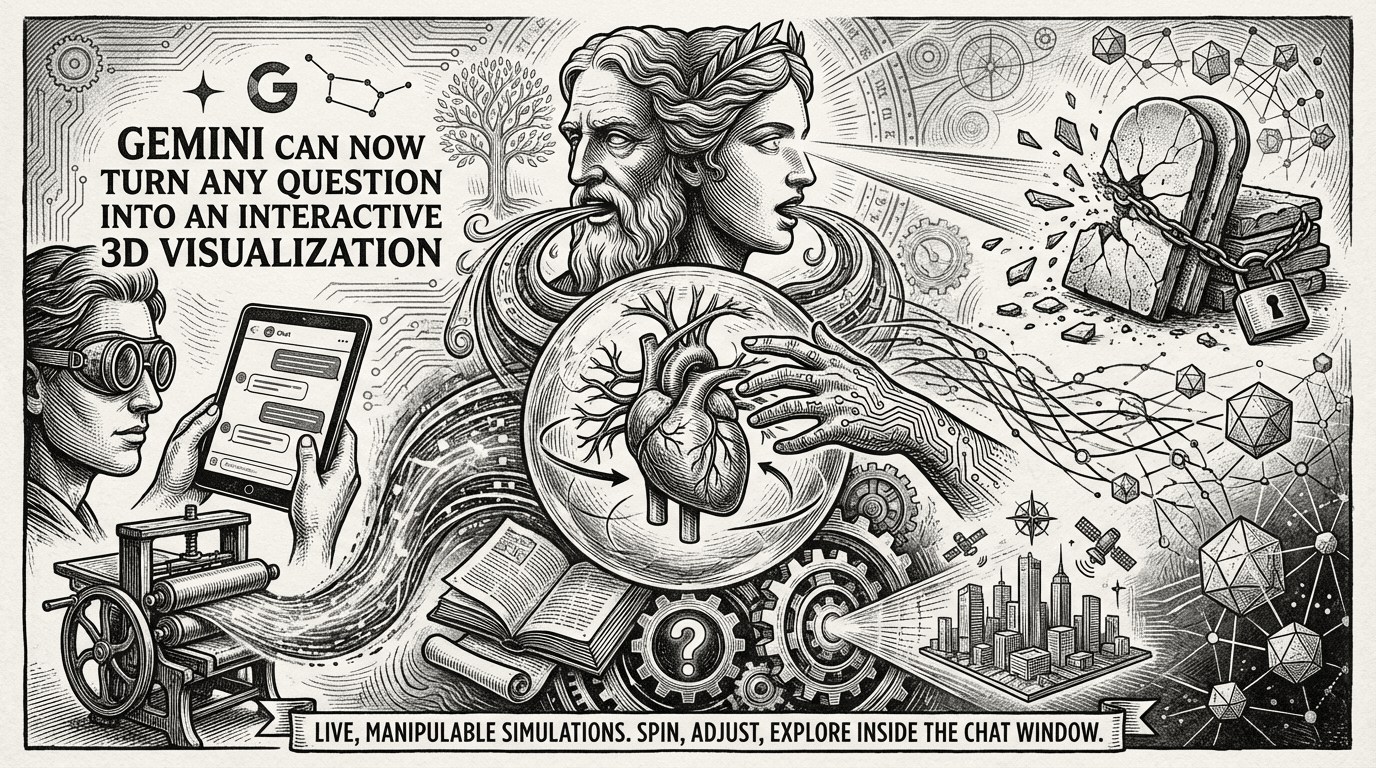
Google just made a meaningful move in the AI interface race. Gemini can now transform your questions and complex topics into custom, interactive visualizations directly within your chat. Previously, responses were largely just text with static diagrams. That limitation is now gone, and the implications for how people use AI to learn and explore ideas are real.
Google has begun rolling out a feature for its Gemini chatbot that converts plain-text questions into fully interactive 3D models and simulations, rendered directly inside the chat window, where users can rotate geometry, adjust sliders, and change variables in real time. It's a shift that moves Gemini from being a text engine into something closer to an interactive thinking tool.
As someone who covers AI products daily, I can say this one actually changes the interaction model, not just the output format. The difference between reading about orbital mechanics and being able to pause and rotate a live simulation is not trivial.
What Is Gemini's Interactive Visualization Feature?
Generative UI is a capability in which an AI model generates not only content but an entire user experience. Google's implementation dynamically creates immersive visual experiences and interactive interfaces, such as web pages, games, tools, and applications, that are automatically designed and fully customized in response to any question, instruction, or prompt.
These new types of interfaces are markedly different from the static, predefined interfaces in which AI models typically render content. The system doesn't just pick a chart type and fill it in. It builds the interface from scratch, tailored to your specific prompt.
Two distinct modes power this experience inside the Gemini app:
- Visual layout generates an immersive, magazine-style view of information, complete with photos and interactive modules.
- Dynamic view uses advanced agentic coding capabilities to design and code a unique, single-purpose experience with a user interface tailored to your specific prompt. You can then tap, scroll, and learn via this interactive response.
How It Works Under the Hood
Under the hood, the system generates live WebGL and Three.js code, the same rendering stack Google's Android XR team used for an immersive blood-cell biology simulation. That's not a lightweight implementation. It means the visualizations carry real rendering fidelity, not just CSS animations.
The generative UI implementation uses Google's Gemini 3 Pro model with three key additions: tool access, where a server provides access to tools like image generation and web search; carefully crafted system instructions that guide the system with goals, planning, examples, and technical specifications; and post-processing, where the model's outputs are passed through a set of post-processors to address potential common issues.
Gemini 3's underlying performance is supported by a 1,487 Elo score atop the WebDev Arena leaderboard and a 76.2 percent result on SWE-bench Verified, a benchmark measuring AI coding agent quality that directly underpins how well generated 3D interfaces actually function.
Key Capabilities
Here's what the feature can actually do right now:
- Users can tweak variables, rotate 3D models, and explore data on the fly.
- Ask Gemini to visualize how fractals work, and it doesn't just explain the math — it generates an interactive model you can manipulate. Query about orbital mechanics, and you get a simulation you can pause, rotate, and dissect.
- Instead of reading a static prediction, you can interact with a dynamic simulation model right inside your report and adjust variables to watch the forecast change in real-time.
- The AI determines what type of visuals work best for each dataset, whether that's an interactive periodic table, complex bar graphs, or detailed schematics.
How to Access It
Head to gemini.google.com and select the Pro model in the prompt bar, then ask Gemini to "show me" or "help me visualize" a complex concept to see it for yourself.
For deeper research workflows, Deep Research, now available to Google AI Ultra subscribers, can go beyond text to generate rich visual reports complete with custom images, charts, and interactive simulations. Whether you're allocating a marketing budget or exploring complex scientific theories, Gemini can automatically illustrate your findings. Instead of just reading about a strategy, you can interact with a dynamic simulation model within your report to forecast outcomes based on different variables.
Generative UI capabilities in AI Mode are available for Google AI Pro and Ultra subscribers in the U.S. starting today. Select "Thinking" from the model drop-down menu in AI Mode to try it out.
Where This Fits in the Competitive Picture
After Anthropic's Claude, Google Gemini now also generates interactive visualizations directly in the chat. The race to move AI beyond text is accelerating fast. Meta has been working on similar visual interaction features for its AI assistant, while Amazon explores interactive learning through Alexa. The race suggests visual AI interaction could become as standard as text chat in the next generation of AI assistants.
At ISTE 2025, Google announced interactive diagrams were coming to Gemini for educational users, beginning with students 18 and older before expanding to younger age groups. Educators are already constructing "Interactive Simulations" Gems, custom AI experts grounded on specific course assignments, within the Gemini app.
The education angle makes sense as an entry point, but the use cases extend well beyond classrooms. Students cramming for physics exams can now ask for visual breakdowns of concepts that textbooks struggle to explain. Researchers exploring data patterns can generate custom charts without touching spreadsheet software. Engineers prototyping ideas can spin up quick 3D models to test assumptions before committing to CAD work.
The Accuracy Question
This feature isn't without caveats. The feature raises questions about accuracy and reliability. Generating interactive models from natural language is complex — get the physics wrong in a simulation, and you've created a convincing but incorrect teaching tool. Google will need to nail the verification side to avoid spreading visual misinformation, especially in educational contexts where trust is everything.
The technology is still experimental, with some limitations, including longer load times and occasional reliability issues. That's worth keeping in mind before you use a Gemini-generated simulation to teach a class or brief a client.
Final Thoughts
The technical foundation here is solid. Building on WebGL, Three.js, and Gemini 3's coding capabilities means these aren't toy visualizations. The SWE-bench score and WebDev Arena ranking give some grounding to the claim that the model can actually produce functional, interactive interfaces on demand. What I'd watch closely is how the accuracy holds up as the feature scales to broader, more diverse prompts outside of well-defined STEM domains.
The AI that wins this next phase won't just be the one that answers questions fastest. It'll be the one that makes complex information genuinely easier to explore. Google is betting on visual interactivity as that differentiator, and this release is a concrete step in that direction. Whether the accuracy and reliability hold up at scale is the real question.
Give it a try with something you've always found hard to visualize. Drop your experience in the comments.
Frequently Asked Questions
What is Gemini's interactive visualization feature?
Gemini can transform your questions and complex topics into custom and interactive visualizations directly within your chat. This includes 3D models, charts, simulations, and dynamic UI experiences built on the fly from plain text prompts.
How do I trigger interactive visualizations in Gemini?
The capability runs on the Pro-tier Gemini model, accessed through the Gemini web app. Users select the Pro model in the prompt bar and phrase requests as "show me" or "help me visualize" to trigger the outputs.
Is this feature available to all Gemini users?
The base interactive 3D feature is rolling out to all Gemini app users globally. However, Google AI Ultra subscribers gain a premium variant through Deep Research, where reports now include interactive simulation models that let users adjust variables and forecast outcomes within the document itself.
What technology powers these visualizations?
The system generates live WebGL and Three.js code, the same rendering stack Google's Android XR team used for an immersive blood-cell biology simulation.
Are there accuracy concerns with AI-generated simulations?
Yes. Generating interactive models from natural language is complex — get the physics wrong in a simulation, and you've created a convincing but incorrect teaching tool. Always cross-check outputs, especially for educational or professional use.